
Planting on a forecast, not a guess
A ward agriculture officer wants to tell farmers how much rain to expect each week of the short rains.
Read the use caseACTS ML is a free, no-code AI builder from the African Centre for Technology Studies. Train a model on your spreadsheet, or build an assistant that answers from your own documents.
No code and no card. Sign in with Google or email.
A ward agriculture officer wants to tell farmers how much rain to expect each week of the short rains.
Read the use case
A tea co-operative has six seasons of delivery records and eleven extension officers to send out.
Read the use case
A savings and credit co-operative wants help deciding which applications deserve a careful review.
Read the use case
A small delivery company quotes arrival windows by feel, and loses customers when it rains.
Read the use case
A compliance officer reads the same four hundred pages of by-laws every month, looking for one paragraph.
Read the use case app.actsml.com/projects/create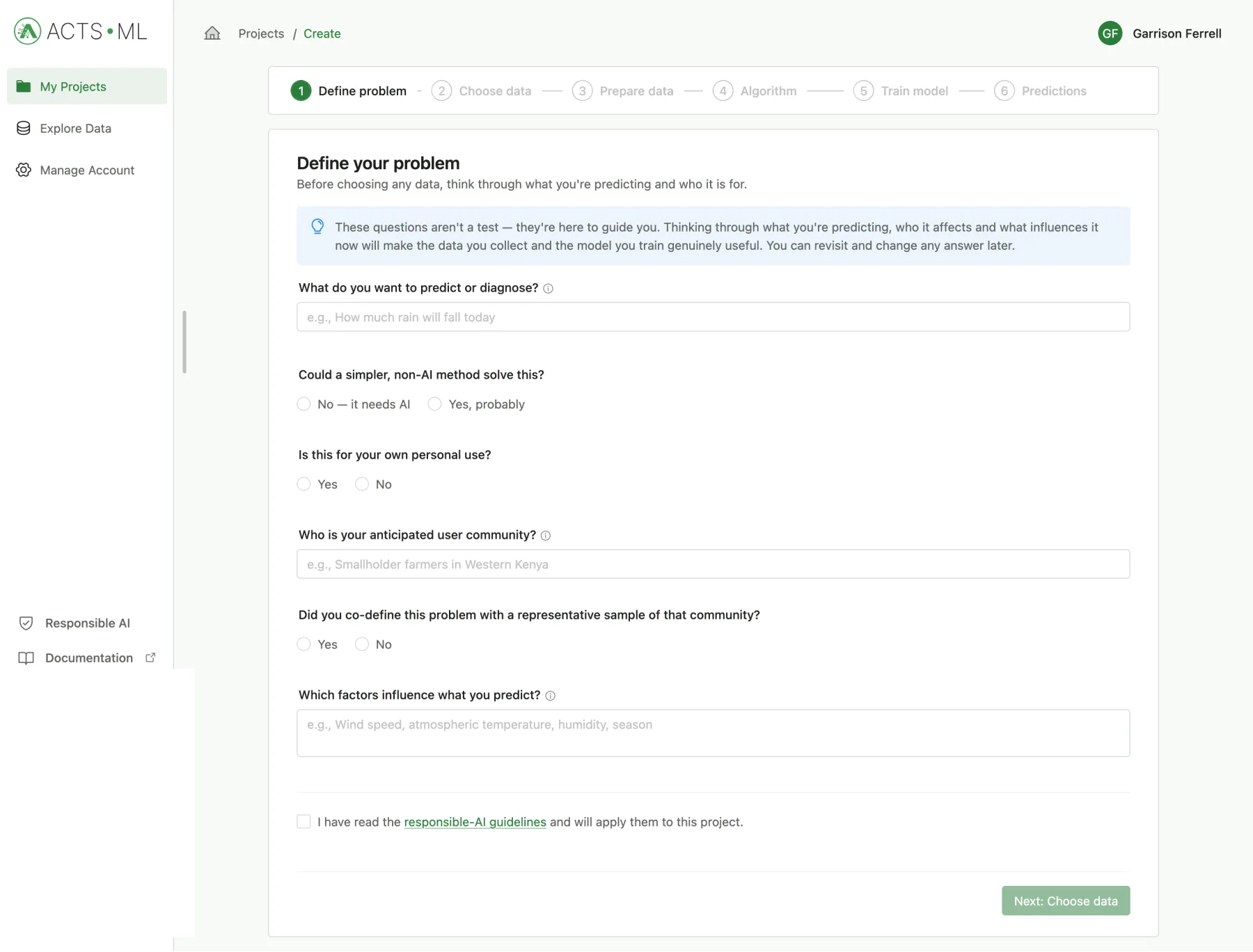
Most questions take one of two shapes. Some need a number or a category worked out from your data. Others need an answer found in your documents. ACTS ML handles both, without code.
Bring a table: rainfall records, sales, survey results. The wizard helps you clean it, suggests an algorithm, then trains and tests the model with you.
Talk to the Assistant Builder and it sets things up with you: what the assistant is for, where its answers come from, and what it must never do. Then test it in chat.
The wizard takes you through each step in order. As it says on the first screen: these questions aren't a test, they're here to guide you.
Write the question the way you'd say it. The wizard asks who it's for, what influences it, and whether a simpler, non-AI method could do the job.
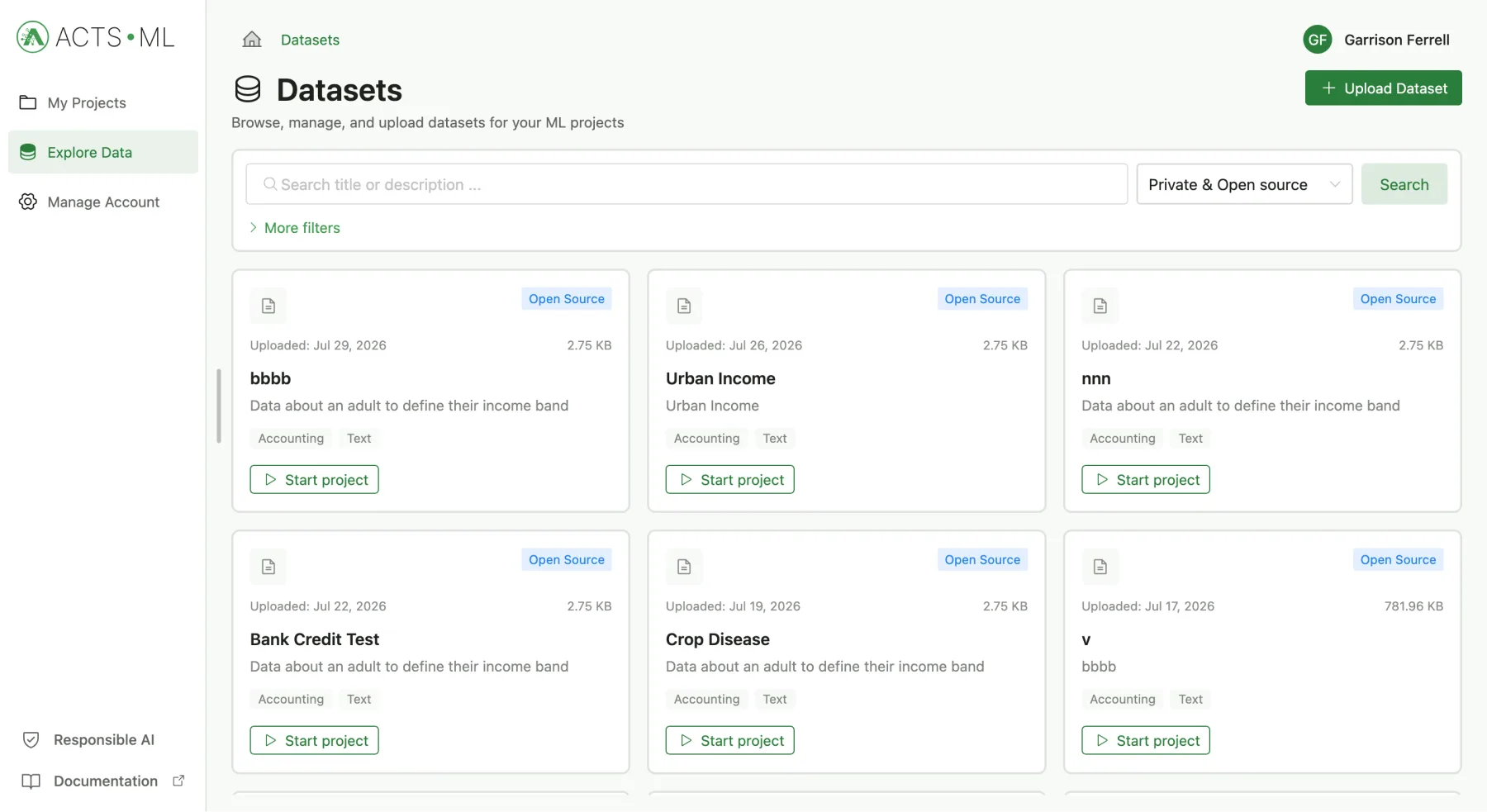
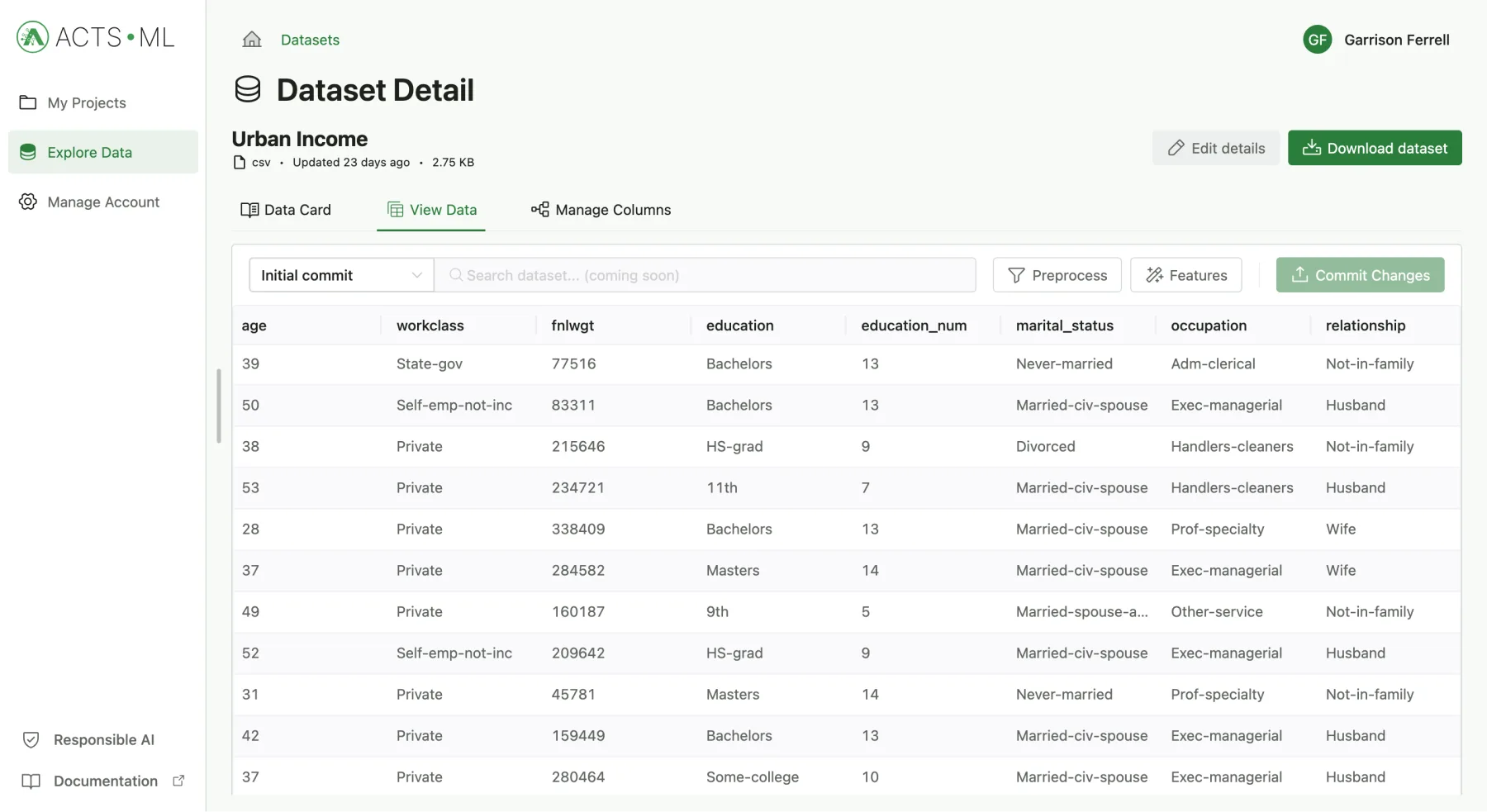
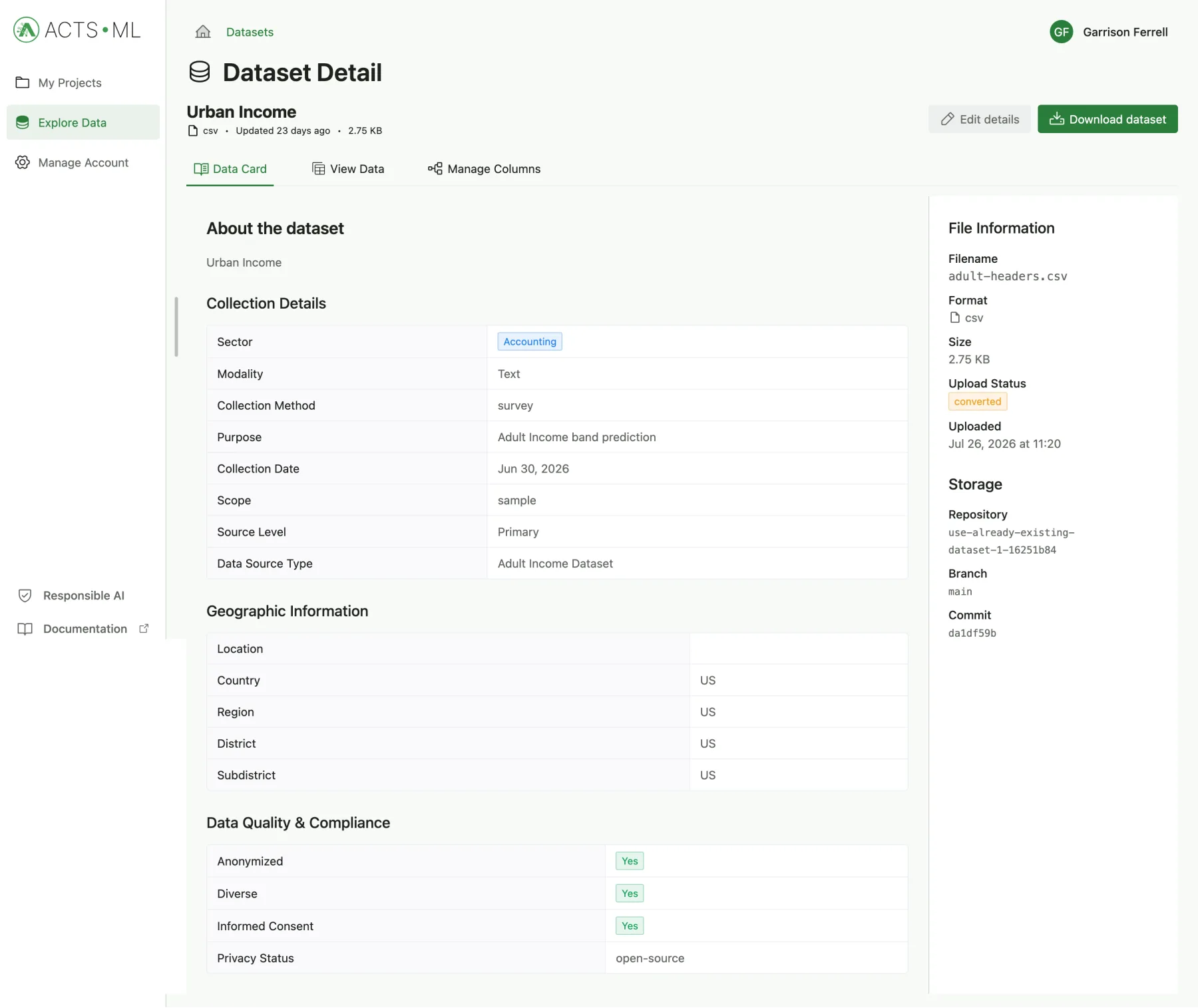
Upload your own file, or pick an open dataset someone has shared on the platform. Every dataset comes with a Data Card describing where it came from.
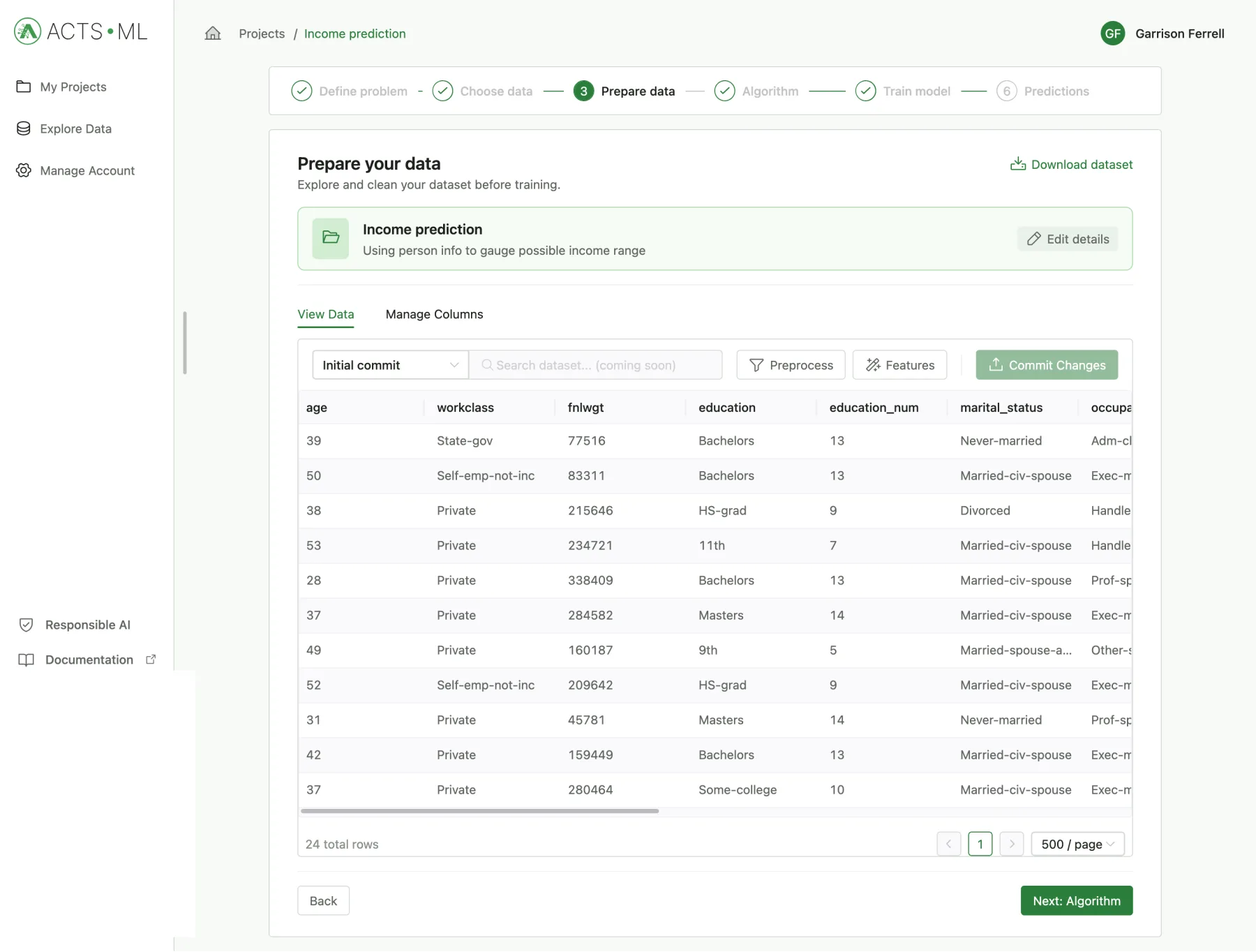
Look through your table, apply the recommended fixes for missing or messy values, and commit each change. Every commit is a version you can go back to.
Choose the column you want to predict. ACTS ML recommends the type of model and a specific approach, says how confident it is, and explains why. You can change it.
ML Algorithm
Choose what to predict. ACTS ML suggests the rest.
Target column
ML Algorithm Type (Recommended)
The target is a number that changes smoothly, so a regression model fits.
Recommended · handles missing values
Simpler · easier to explain
Illustration of the ML Algorithm step.
Pick how to split your data (random, stratified or by time) and train. Each run gets its own ID, its metrics and a summary you can copy or export.
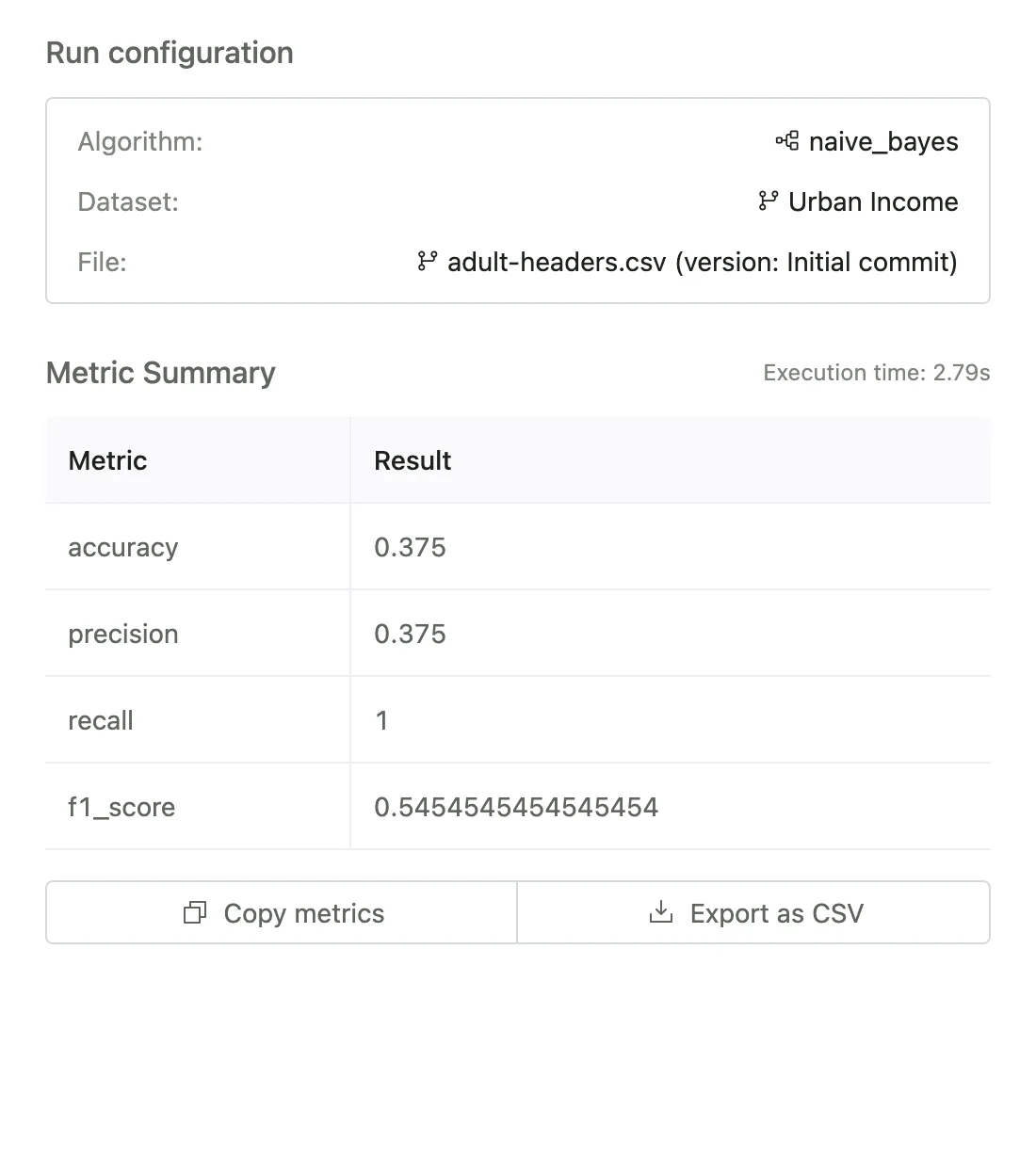
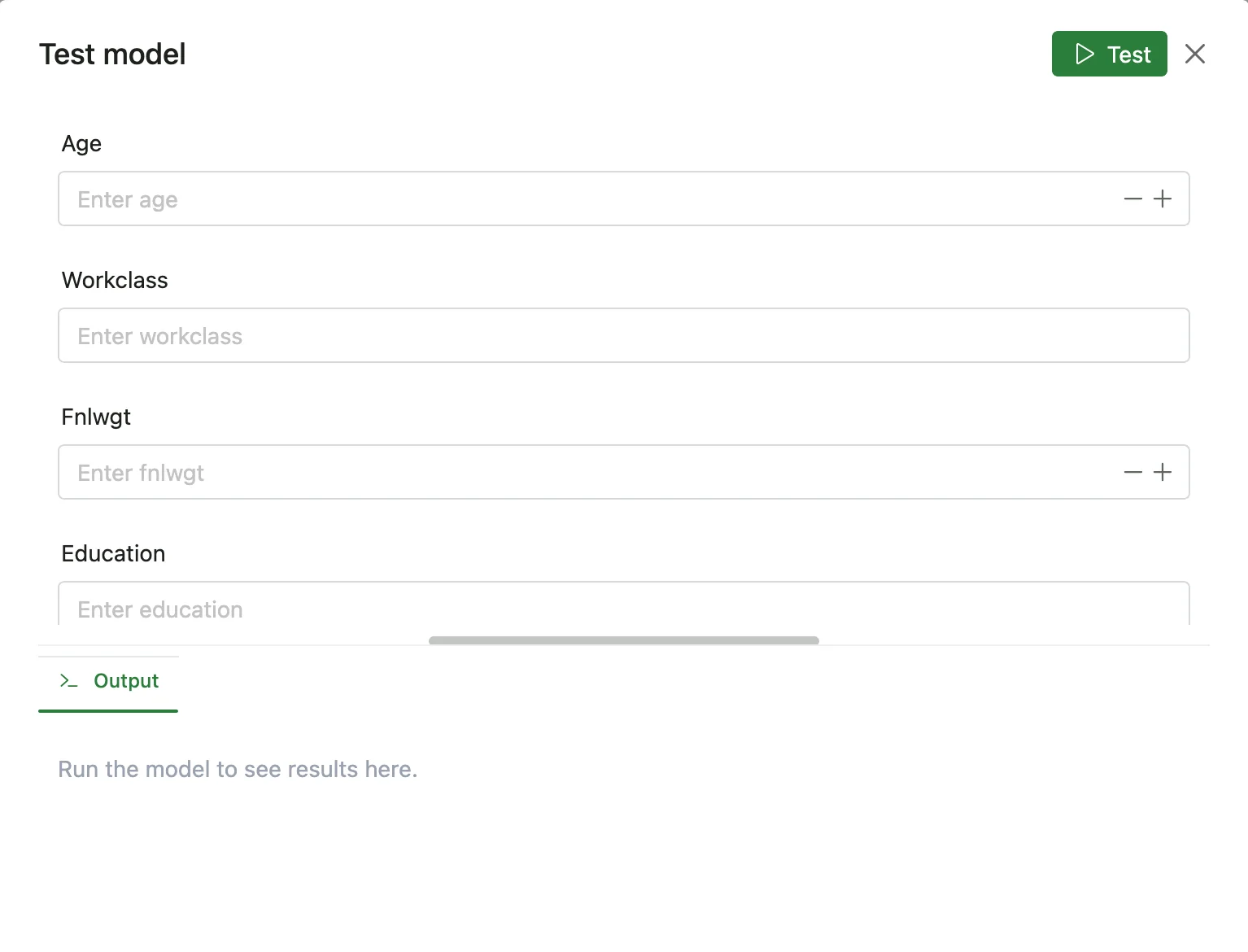
Type in a new case and get the prediction straight away. Retrain whenever new data comes in; older runs stay on record.
 app.actsml.com/projects/create1 / 6
Real data has gaps, typos and columns in the wrong format. The Data Studio reads your table, suggests fixes column by column, and lets you apply one or all of them in a click.
Data Studio · station_readings.csvRecommended preprocessing
4 suggestions · review before you apply
| Column | Suggested fix | Action |
|---|---|---|
| rainfall_mm | Fill with median | Apply |
| station | One-hot encode | Apply |
| reading_date | Extract month, day of week | Apply |
| temp_c | Standard scaling | Apply |
Responsible AI isn't a separate checklist in ACTS ML. The questions sit inside the steps, at the moments where they change what you build.
The first step asks who the model is for, whether you worked out the question with them, and whether a simpler, non-AI method would do. Sometimes the honest answer is yes.
Could a simpler, non-AI method solve this?
Uploading a dataset includes an ethics and consent step: was consent given, is it anonymised, is it representative, was it collected through someone the community trusts, in a language they understand?
Was the data collected through a person the community trusts?
An assistant answers only from the documents and pages you add. You decide what it must refuse and where it should send people instead.
Answers come only from sources you add.
A county officer in Kisumu knows which wards flood first. A tea factory manager in Kericho knows what a bad picking week looks like. That knowledge is already here. The part that usually has to come from somewhere else is the modelling.
ACTS ML puts the modelling in the same room as the knowledge. It's built in Nairobi by the African Centre for Technology Studies, which has worked on science, technology and innovation across Africa since 1988, so that the people who understand a problem can build the model for it themselves.

Worked examples of what you could build, from the first question to the result.
1°48′S 37°38′EA ward agriculture officer wants to tell farmers how much rain to expect each week of the short rains.
0°22′S 35°17′EA tea co-operative has six seasons of delivery records and eleven extension officers to send out.
26°12′S 28°03′EA compliance officer reads the same four hundred pages of by-laws every month, looking for one paragraph.
Something else? Ask the team or read the documentation.
Yes. You can sign up, upload data, train models and build assistants without paying, and you don't need a card to start.
No. Everything happens through the wizard and the Assistant Builder. If you can work with a spreadsheet, you can use ACTS ML.
Your datasets are private unless you mark one as Open Source. Only then can other people find it in Explore Data and start projects from it.
For predictive models, tables such as CSV or Excel files. For assistants: PDF, Word, Excel, CSV, text and Markdown files of up to 25 MB each, and public web pages.
Not yet. Today you test models and make predictions inside ACTS ML, and test assistants in chat. Ways to share and deploy them are being built.
The African Centre for Technology Studies (ACTS), a research centre based in Nairobi. ACTS ML is part of its work to make AI something people across Africa can build, not only use.
Make a free account, bring your data, and find out whether a model helps your work.